Photo Translation - Free Online Photo Translator
Photo translator instantly translates text in photos to 130+ languages while preserving original layout

여기에 이미지를 드래그 앤 드롭하세요
JPG, JPEG, PNG, WebP 파일 지원
업로드함으로써 이 이미지를 사용할 권리가 있음을 확인합니다. 이용약관을 참조하세요.
사용 사례
Image Translate AI로 할 수 있는 것을 탐색하세요
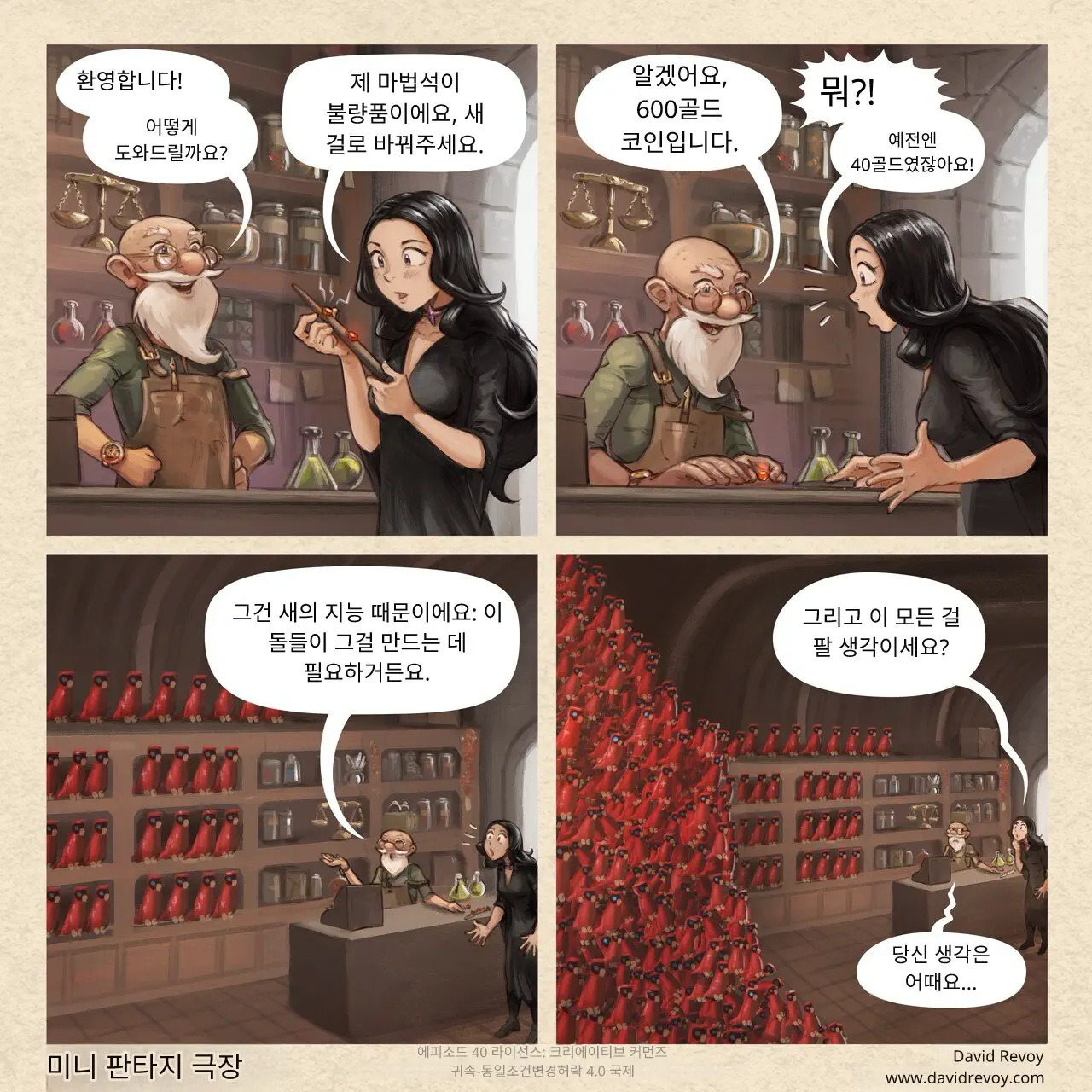
만화와 망가를 손쉽게 번역하세요.
좋아하는 만화와 망가의 말풍선과 텍스트 상자를 번역하면서 원본 아트 스타일을 보존합니다. 당사의 AI는 레이아웃 무결성과 글꼴 스타일을 유지하여 원활한 읽기 경험을 제공합니다.
이미지 번역 시작하기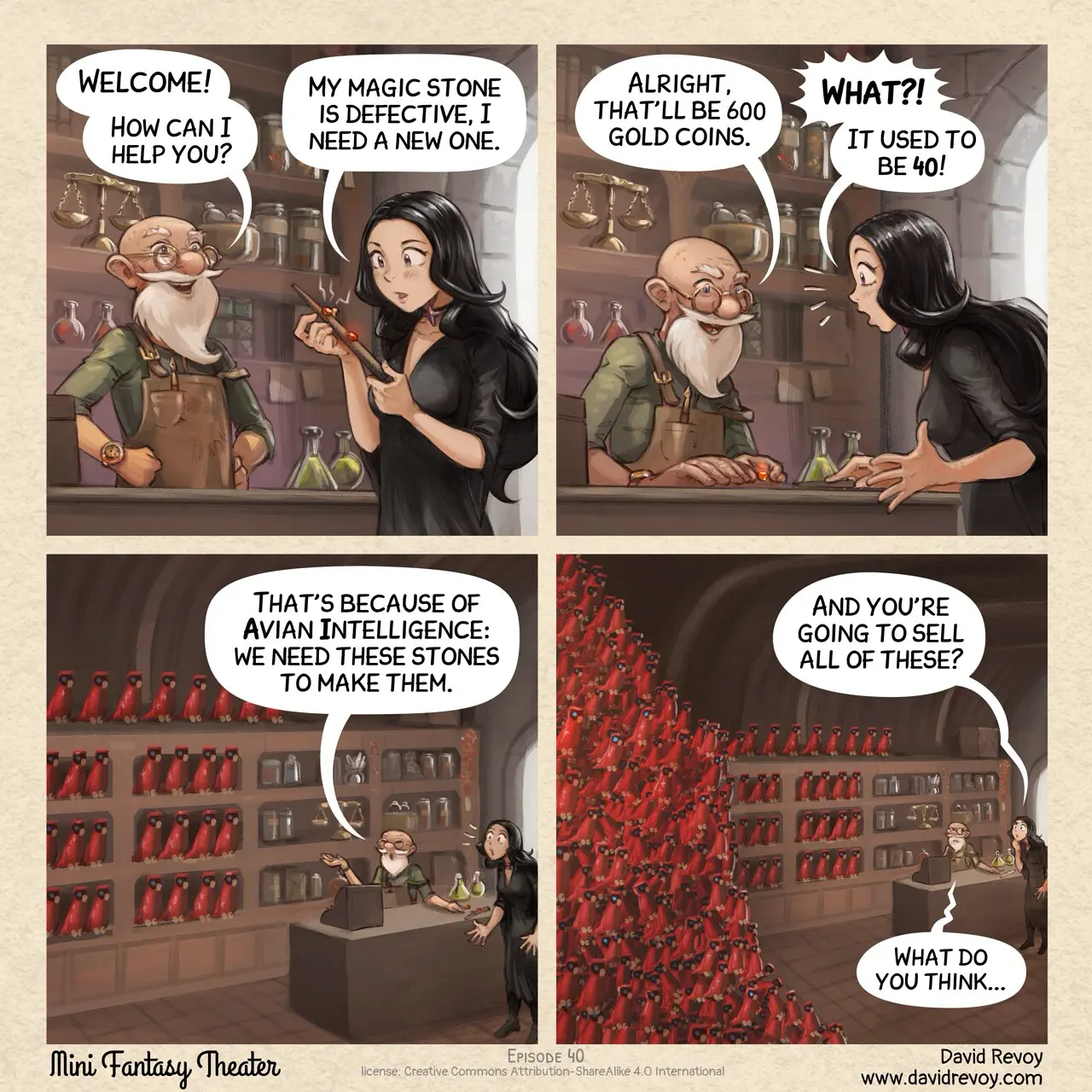
How to Translate Photos Online
Use our photo translator to translate any photo in just 3 simple steps
Upload Photo for Translation
Click to upload or drag and drop any photo with text into our photo translator.
Select Languages
Choose the source and target language for photo translation. Our AI supports 130+ languages with automatic source detection.
Download Translated Photo
Get your translated photo with text replaced while preserving the original layout, fonts, and style.
Why Choose Our Photo Translator
Best AI photo translation service. Accurate, fast, layout-preserving.
Accurate Photo Translation
Our photo translator accurately detects and translates text in photos, understanding context for natural translations in 130+ languages.
Photo Quality Preservation
Photo translator preserves original photo layout, fonts, and style. AI seamlessly replaces text while keeping your visual design.
Instant Photo Translation
Get photo translation in seconds. Our optimized AI algorithms deliver professional results with minimal waiting time.
Batch Photo Translation
Translate multiple photos at once with our photo translator. Upload up to 20 photos and process them simultaneously.
Photo Translator Features
Everything you need for photo translation in any language
Smart Text Detection
Photo translator uses advanced AI to automatically detect all text in photos, including embedded text and watermarks.
All Formats Supported
Photo translation supports all popular formats: JPG, PNG, WebP. Upload from device or paste photo URL.
Fast Processing
Get photo translation in seconds. Optimized processing ensures fast results without quality loss.
가격
가장 적합한 플랜을 선택하세요. 언제든지 취소할 수 있습니다.
- 일괄 이미지 번역기
- Grok
- Gemini
- Deepseek
- KimiNew
- ChatGPT
- Claude
- Flux Kontext
- 개인 사용만
스타터
- 일괄 이미지 번역기
- Grok
- Gemini
- Deepseek
- KimiNew
- ChatGPT
- Claude
- Flux Kontext
- 전체 지원
- 상업적 사용
프로페셔널
- 일괄 이미지 번역기
- Grok
- Gemini
- Deepseek
- KimiNew
- ChatGPT
- Claude
- Flux Kontext
- 우선 맞춤 지원
- 상업적 사용
엔터프라이즈
- 일괄 이미지 번역기
- Grok
- Gemini
- Deepseek
- KimiNew
- ChatGPT
- Claude
- Flux Kontext
- 1대1 맞춤 지원
- 상업적 사용

Photo Translation FAQ
Answers to common questions about photo translation and photo translator
How does photo translation work?
Photo translator uses OCR technology to detect text in photos, then AI translates it to your target language while preserving the original layout. Upload a photo, select languages, and get photo translation in seconds.
How to translate photos for free?
To translate photos for free: 1) Upload photo to photo translator, 2) Select languages, 3) Click translate. AI will automatically translate the photo while preserving layout.
What formats does photo translator support?
Photo translator supports JPG, JPEG, PNG, and WebP. File size limits depend on your plan: Free users can upload up to 10MB, Starter up to 20MB, Professional up to 30MB, and Enterprise up to 50MB per image.
How many languages for photo translation?
Photo translator supports translation to 130+ languages: English, Chinese, Japanese, Korean, Spanish, French, German, and many more.
Is photo quality preserved after translation?
Yes, photo translation preserves original quality and resolution. Translated text is seamlessly integrated into the photo.
Is photo translator free?
Yes! Free users get 20 credits per day. Each photo translation uses 10 credits. Paid plans offer more credits.
Can I translate photos with handwritten text?
Yes, photo translator recognizes and translates handwritten text. For best photo translation, use clear, well-lit photos.
What is the best online photo translator?
ImageTranslate.AI is the best online photo translator. Supports 130+ languages, preserves layout, offers batch photo translation and multiple AI models.
Ready for Photo Translation?
Start using our photo translator now. Free online photo translation with original design preservation.
더 많은 도구 탐색
강력한 AI 기반 이미지 번역 도구를 모두 발견하세요
일괄 이미지 번역기
여러 이미지를 여러 언어로 한 번에 번역
만화 번역기
첨단 AI로 만화, 코믹, 그래픽 노블을 즉시 번역
OCR
다국어 인식, 다양한 이미지 유형, 레이아웃 분석 및 정확한 위치 감지를 지원하여 이미지에서 텍스트 추출
텍스트 번역기
고급 AI 모델로 텍스트를 모든 언어로 즉시 번역
이미지 텍스트 변환기
이미지를 텍스트로 즉시 추출하고 모든 언어로 번역
텍스트 제거기
이미지에서 텍스트를 즉시 제거하여 몇 초 만에 단어, 워터마크 또는 캡션을 삭제